

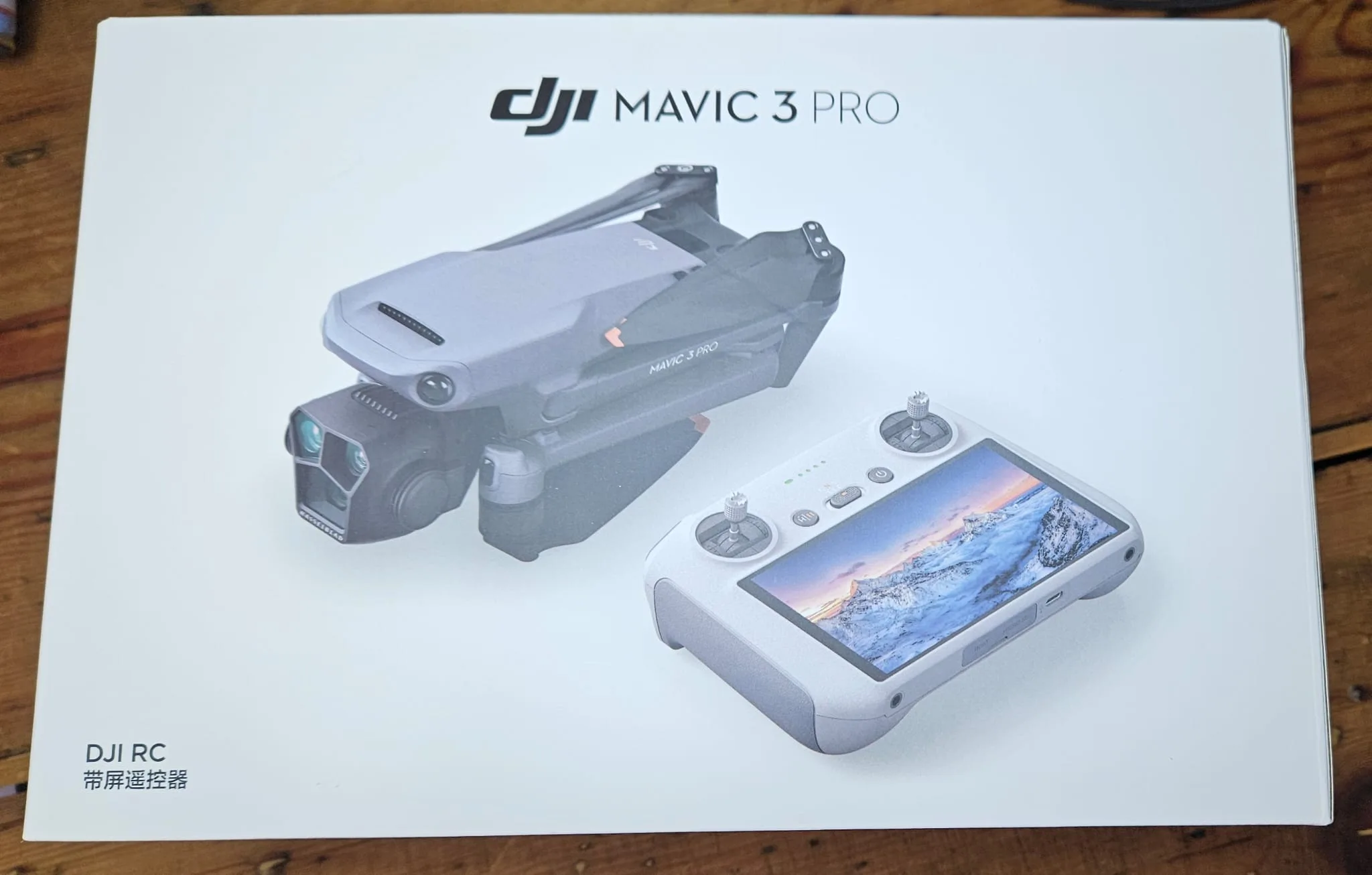
You can find your DJI drone’s serial number in several places. Check the battery compartment for a sticker on the side or bottom. Look for a printed or engraved number on the drone’s body or arm. The gimbal axle may also have the serial number on the part holding the camera. If you have the original packaging, look for a barcode label on the box.
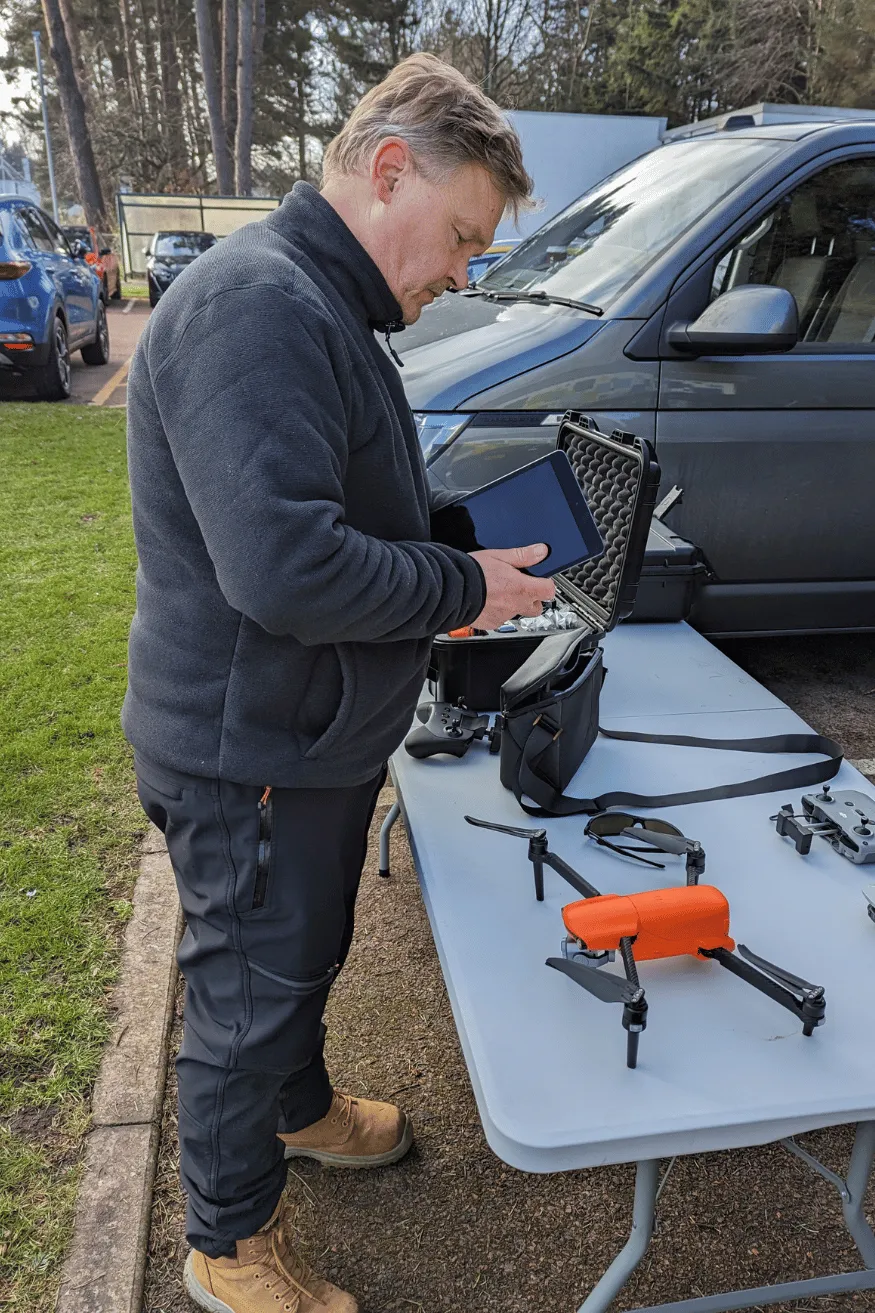
For a digital option, use the DJI Fly app: connect your drone, tap the three dots, select ‘About,’ then ‘Serial Number.‘
You can also scan a QR code in the battery compartment using your smartphone. If you’re still having trouble, there are additional methods to explore.
Physical Locations
There are three main places you’ll find your DJI drone’s serial number.
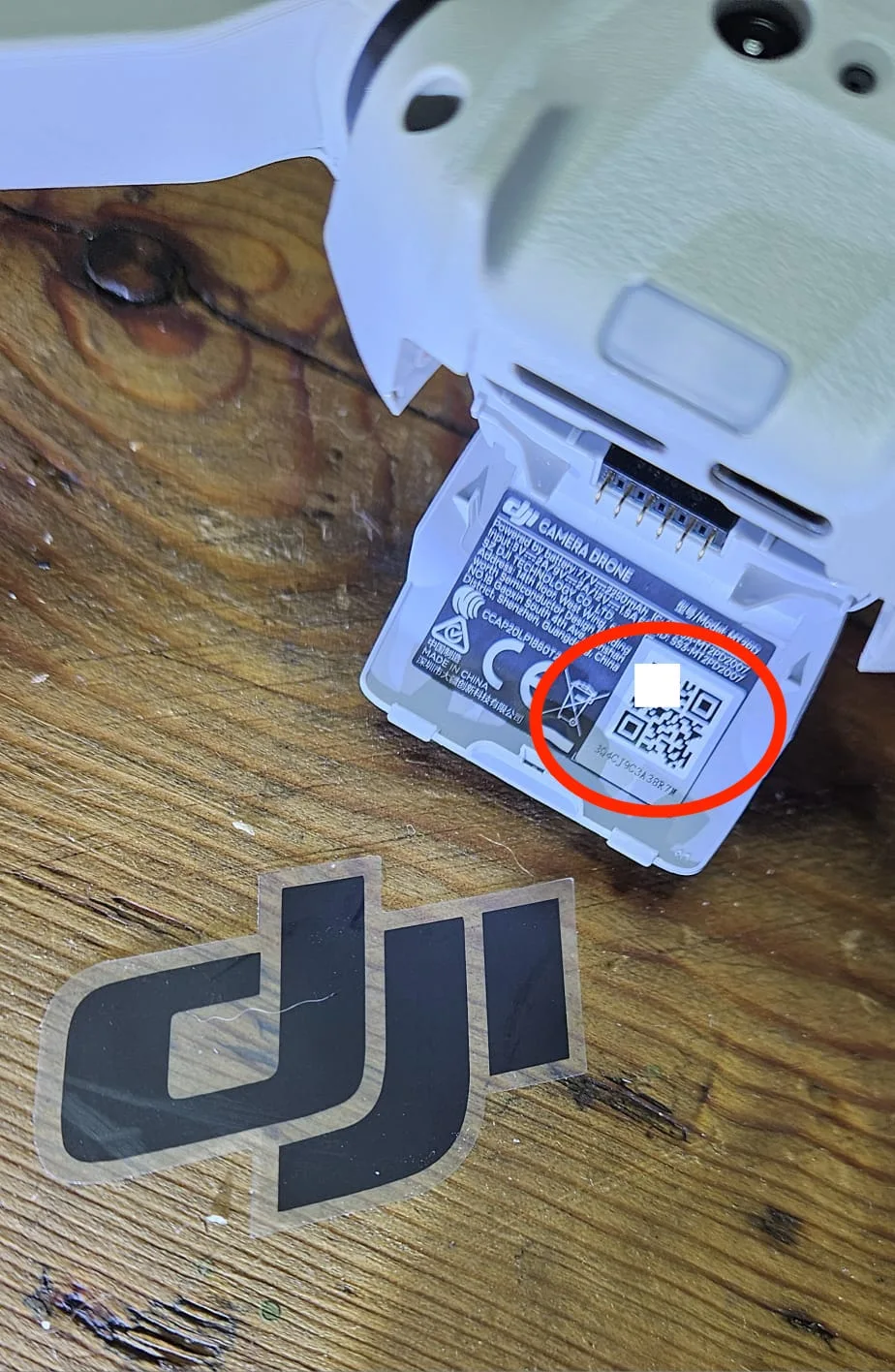
The most common serial number location is inside the battery compartment. When you remove the battery, you’ll often see a sticker on the side or bottom of the compartment.
This sticker typically contains important information about your drone, including its serial number.
For most DJI drone models, you will find the serial number on the arm or body of the aircraft. It’s usually printed or engraved directly onto the surface, so you’ll need to examine the drone carefully to locate it.
Look for a series of numbers and letters that represents the unique identifier for your device.
Another possible location for the serial number is on the gimbal axle. This is the part of the drone that holds and stabilizes the camera. You’ll need to inspect the gimbal closely to find the serial number, as it may be small and not immediately visible.
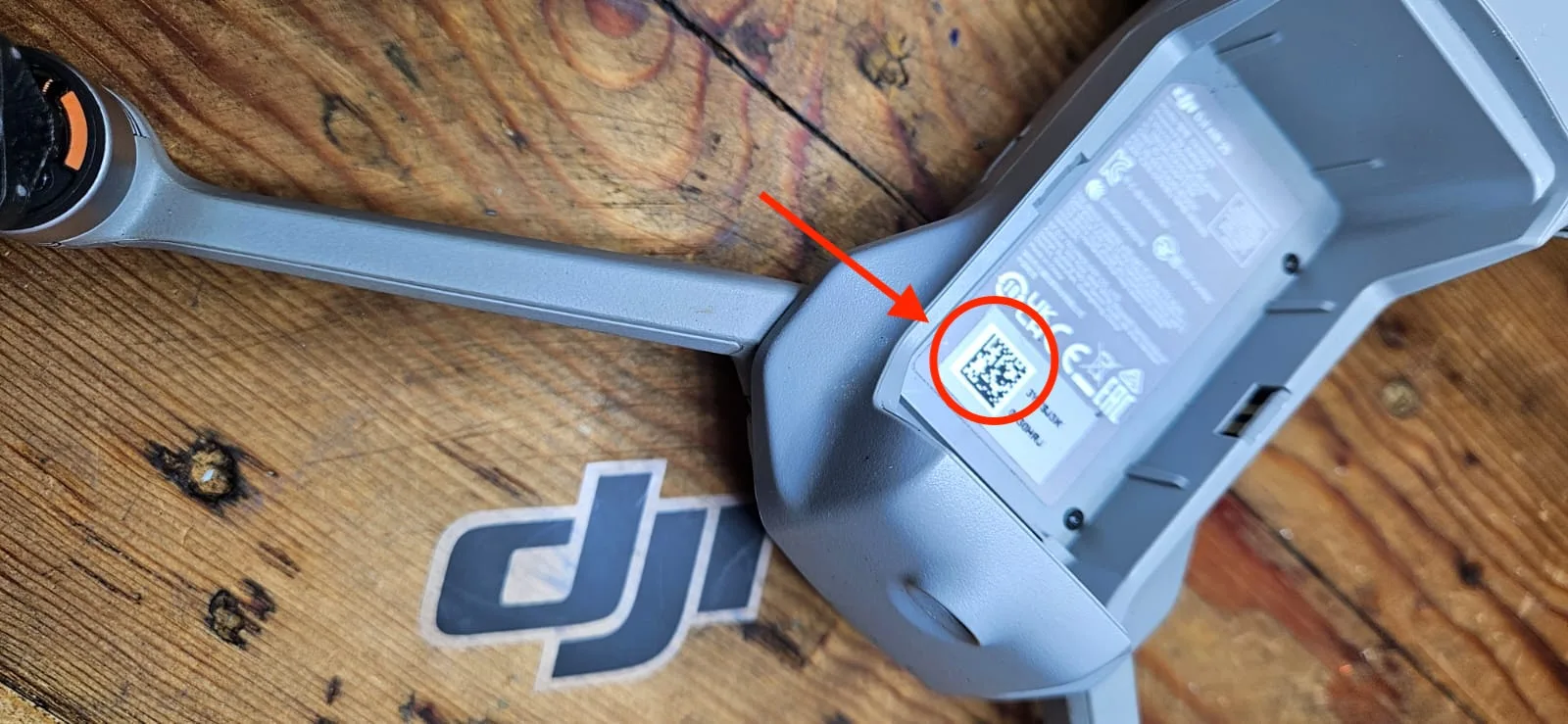
Knowing these locations will help you quickly locate your DJI drone’s serial number when needed, whether for registration, warranty claims, or customer support inquiries.
It’s a good idea to record this number in a safe place for future reference.
Original Packaging
On your DJI drone’s original packaging, you’ll find the serial number printed on a barcode label, typically affixed to the side or bottom of the box.
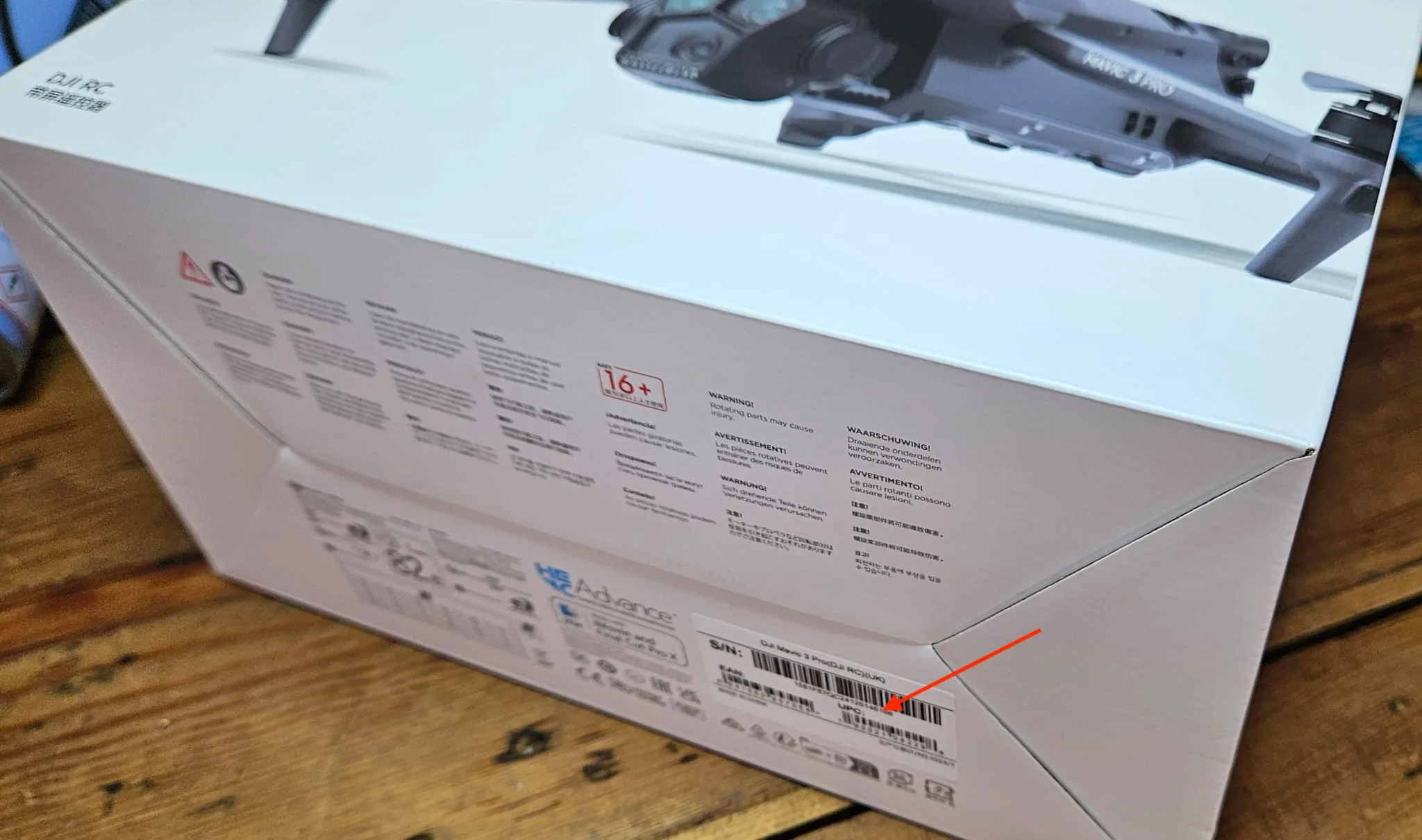
This label is designed for easy identification and contains pivotal information about your drone. When you’re looking for the serial number, you’ll notice it’s prominently displayed alongside a scannable barcode, which allows for quick electronic recognition of the product.
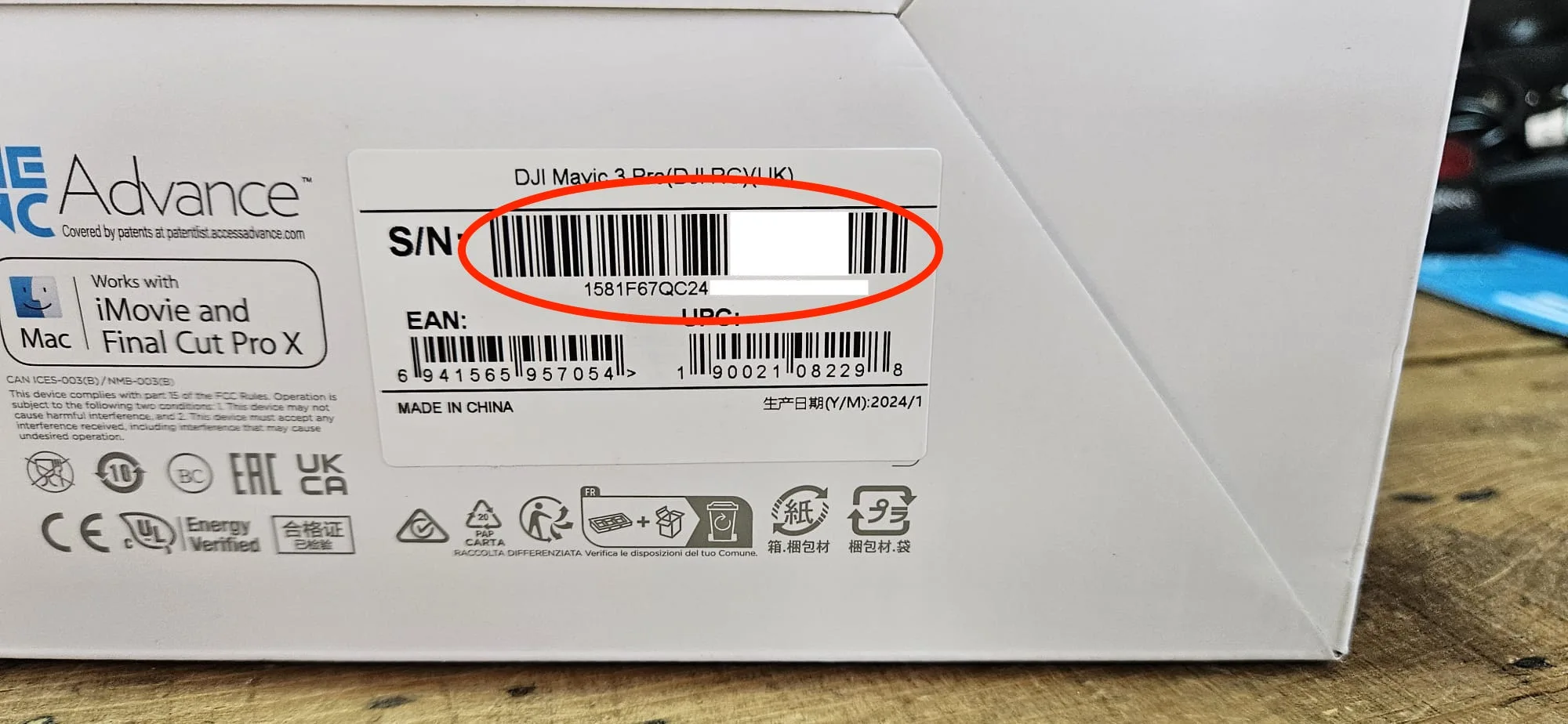
The label on your DJI drone’s box isn’t just about the serial number, though.
It’s a treasure trove of important details. You’ll also find the model number of your specific drone, which is essential for identifying the exact product you’ve purchased.
The manufacturing date is often included, giving you insight into when your drone was produced.
Additionally, you’ll see the country of origin, indicating where the drone was manufactured.
Regulatory compliance marks, such as FCC or CE symbols, are also typically present on this label.
These marks confirm that your DJI drone meets the necessary safety and quality standards set by various regulatory bodies.
Using QR Codes
Locating your DJI drone’s serial number has become even easier with the introduction of QR codes on many models. This innovative feature allows you to quickly access your drone’s unique identifier using your smartphone.
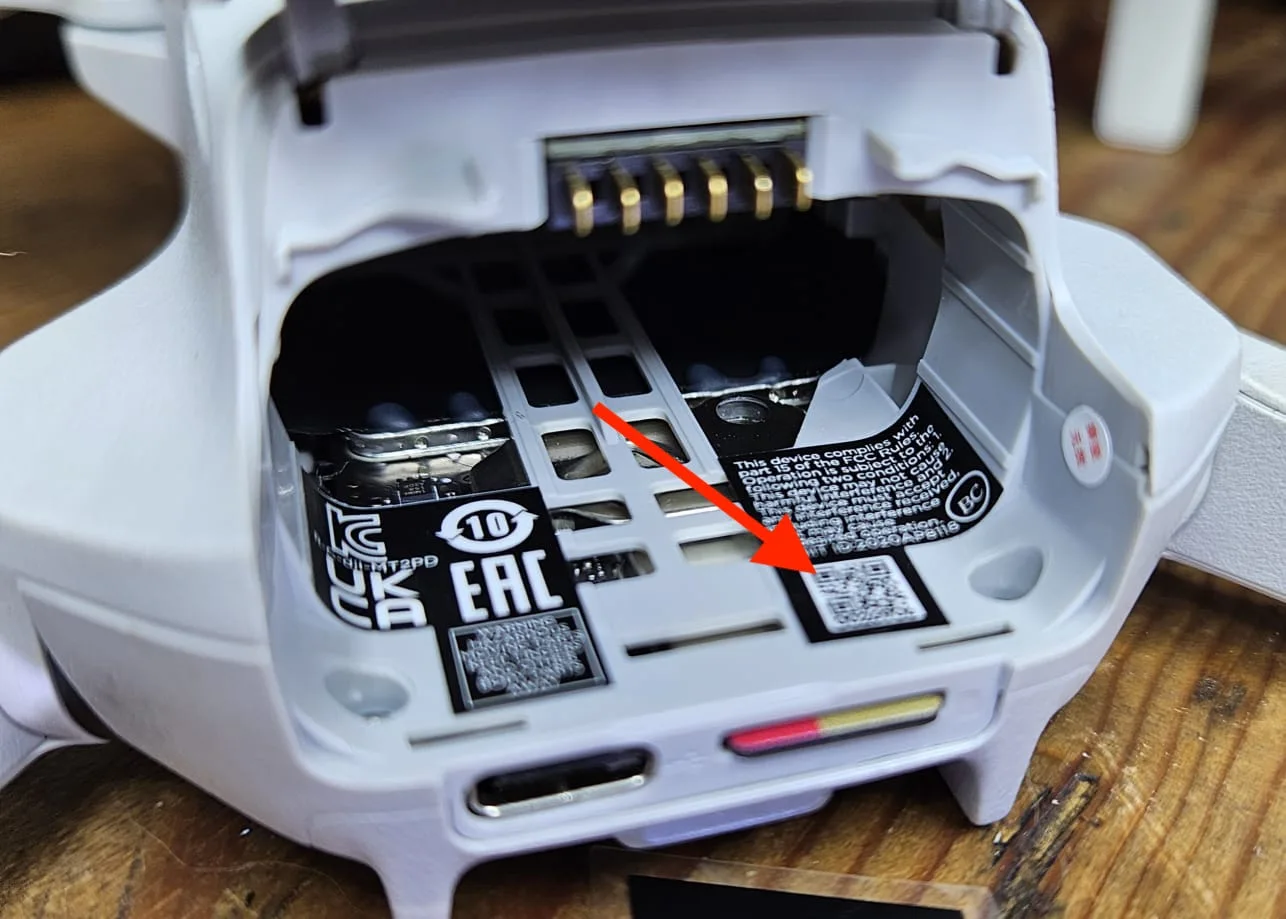
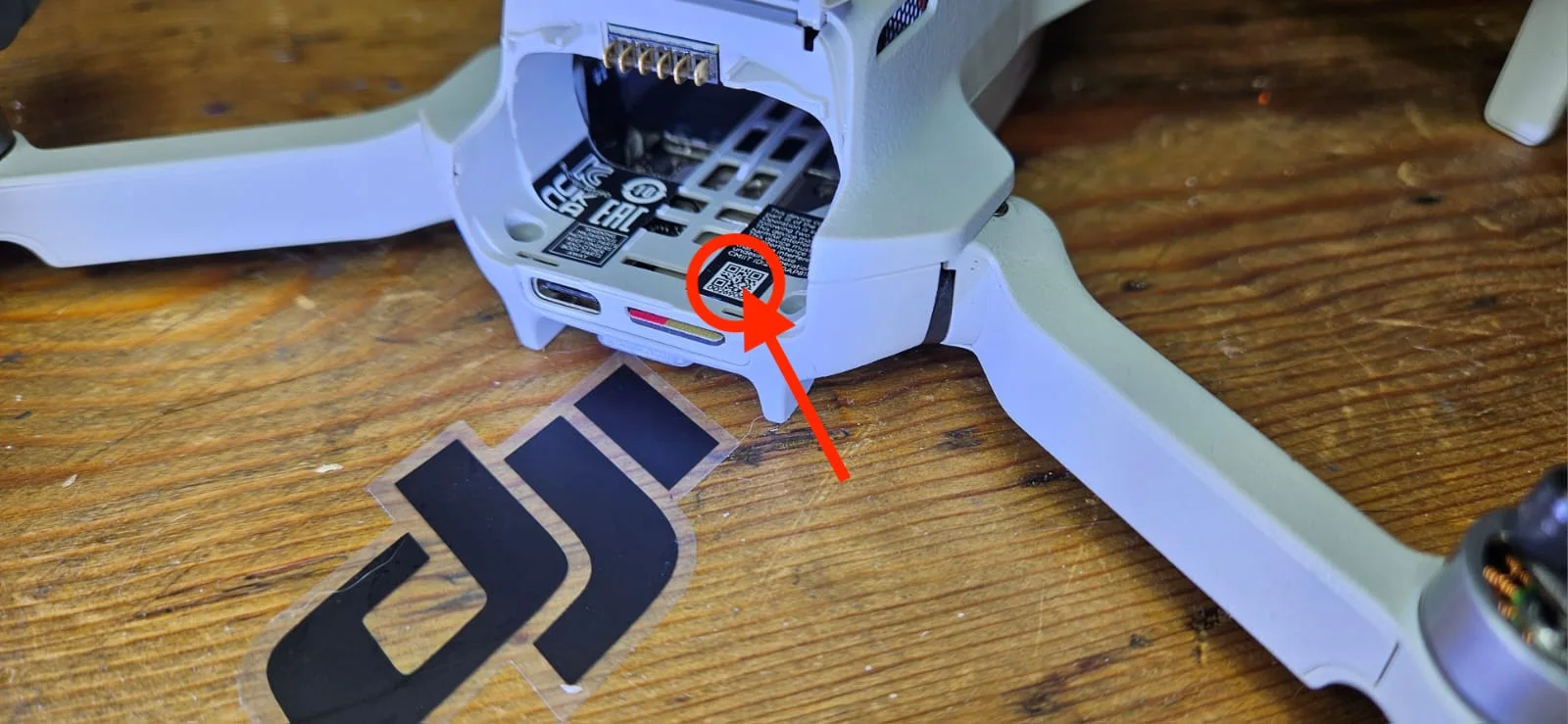
To find the QR code, you’ll need to remove the battery from your drone. Once you’ve done this, carefully inspect the battery compartment and the drone’s body for a small, square-shaped code.
When you’ve located the QR code, you can use your smartphone’s camera or a dedicated QR code scanner app to read it.
Simply point your device at the code, and it will automatically detect and scan it.
After scanning, your phone will display the drone’s serial number on the screen.
This method is particularly useful if you’re having trouble reading the small print on your drone or if the serial number sticker has become worn or damaged over time.
Using QR codes to find your DJI drone’s serial number is a quick and efficient process that eliminates the need for manual searching or deciphering tiny text.
It’s a user-friendly solution that makes identifying your drone much simpler, especially when you need to register it or seek customer support.
DJI Fly App
With the DJI Fly app, you’ll find an effortless way to access your drone’s serial number directly from your smartphone.
This method works for most recent DJI drone models, providing a convenient alternative to physically inspecting your device.
To begin, you’ll need to connect your drone to the remote controller and power it on.
Once that’s done, open the DJI Fly app on your smartphone and enter the Camera View. In the top-right corner of the screen, you’ll see three dots (…).
Tap on these dots to open a menu of options.
From there, select ‘About‘ and then ‘Serial Number‘.
On this screen, you’ll find a list of serial numbers for various components of your drone system. The aircraft’s serial number will be among these, clearly labeled for easy identification.
This digital method not only saves you time but also guarantees you’re accessing the most up-to-date information about your drone.
Remote Controllers and Batteries
While the DJI Fly app offers a digital way to find your drone’s serial number, you’ll need to look elsewhere for your remote controller’s identifier.
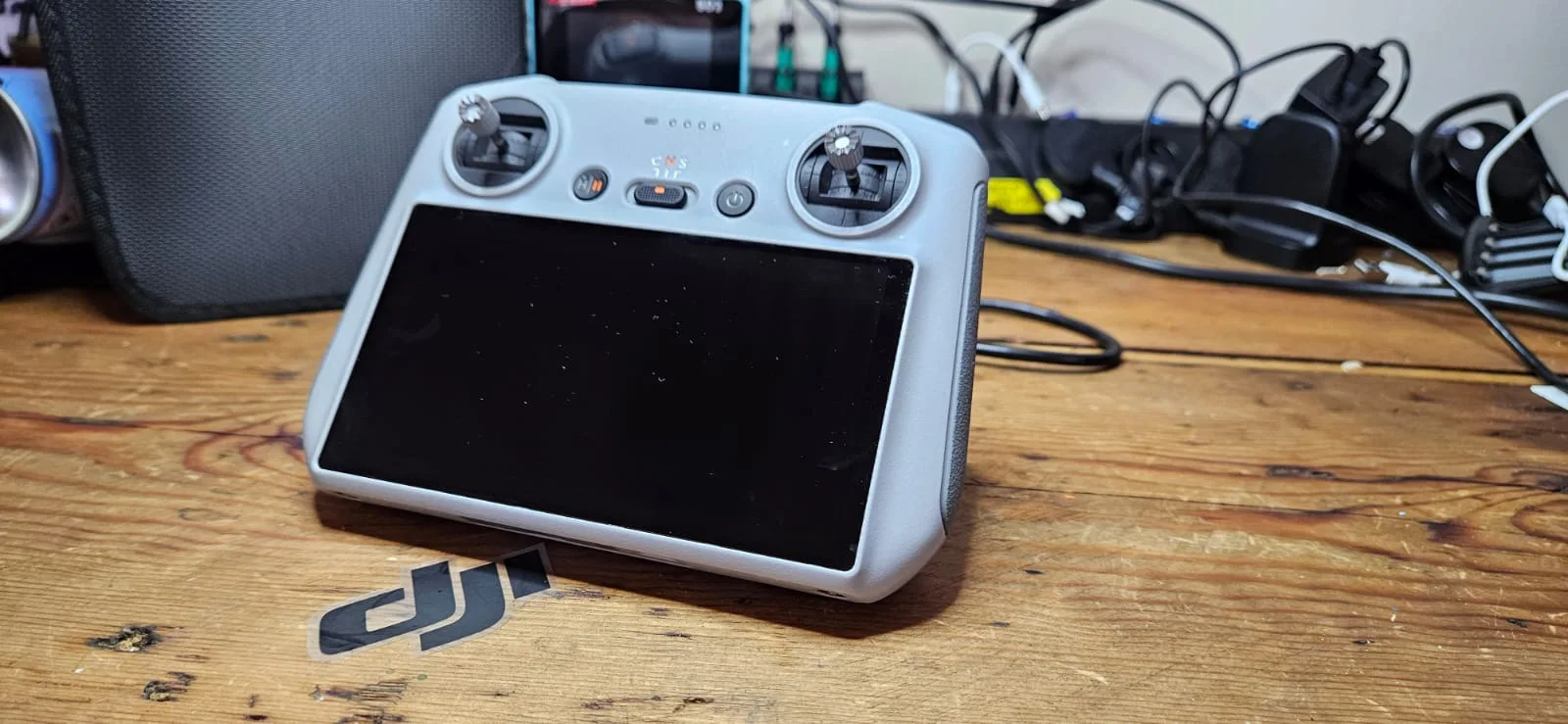
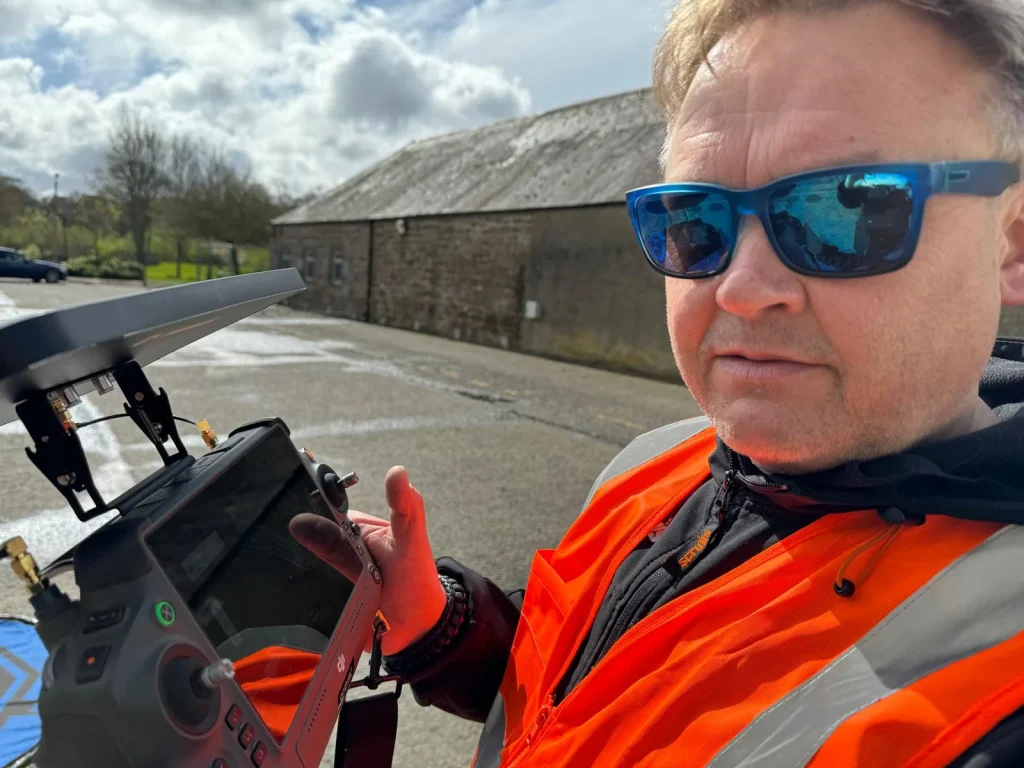
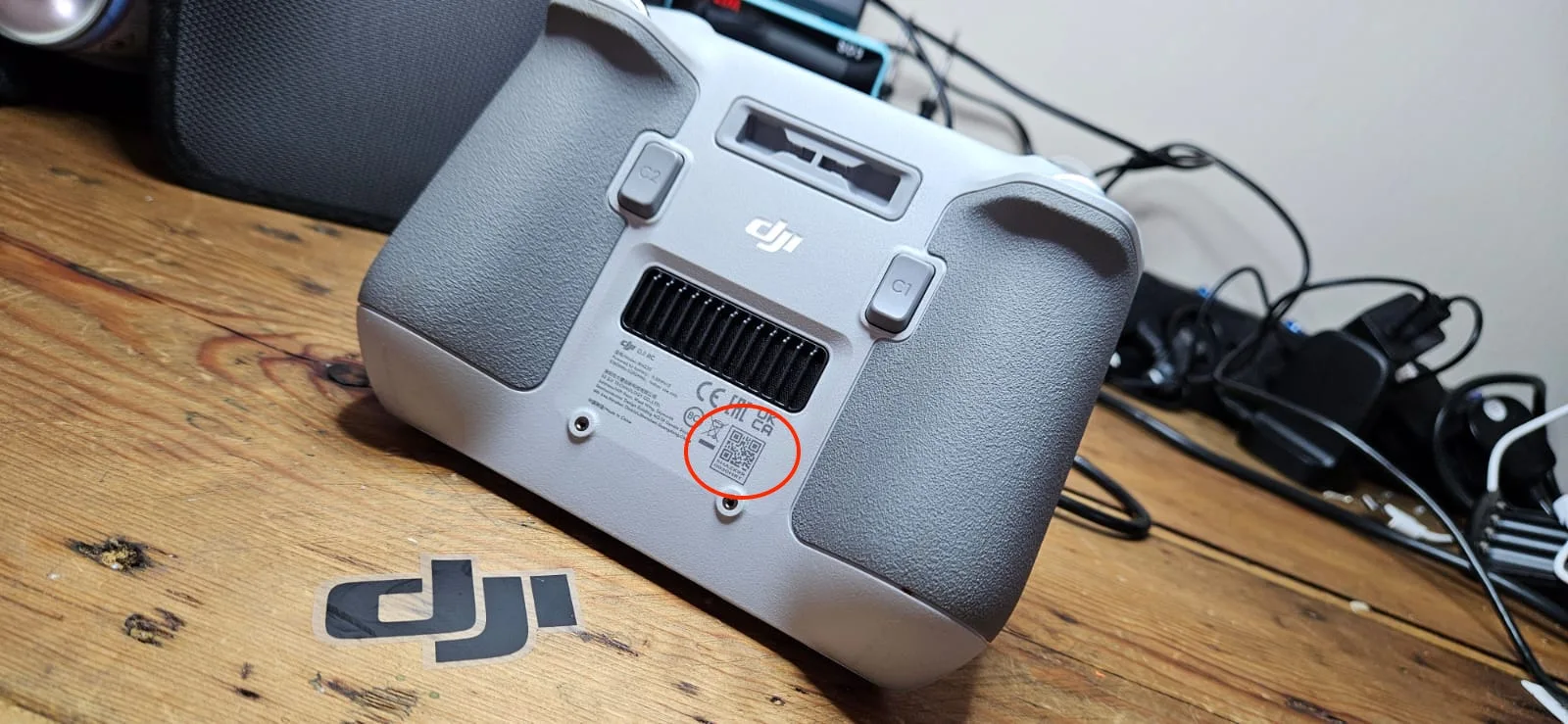
For the remote controller, you’ll want to check the back of the device.
This is where you’ll typically find the serial number printed or engraved. It’s necessary to mention that the location may vary slightly depending on the specific model of your DJI remote controller, but the back remains the most common placement.
When it comes to batteries, the process might be a bit different.
You’ll need to consult your specific battery model’s documentation to determine the exact location of its serial number.
Some DJI drone batteries have the serial number printed on the side or bottom of the battery casing. Others may require you to remove the battery from the drone to locate the identifier.
It’s vital to handle the battery carefully during this process to avoid any damage.
Purpose of drone serial numbers
Your DJI drone’s serial number serves multiple important purposes that you should be aware of.
It’s vital for identification and registration, enabling you to comply with regulations and prove ownership of your drone.
Additionally, the serial number is essential for warranty and support services, helps with remote ID compliance in many regions, and can be invaluable in preventing or recovering from theft.
Identification and registration
DJI drone serial numbers serve as unique identifiers for the purpose of registration and accountability in the eyes of aviation authorities.
When you register your DJI drone with agencies like the Federal Aviation Administration (FAA), you’ll need to provide this serial number. It’s an essential piece of information that links your specific drone to you as the owner and operator.
The serial number is indispensable for identification, allowing authorities to trace a drone back to its registered owner if needed.
This becomes particularly important in situations involving accidents, violations of airspace regulations, or other incidents.
By having a unique identifier, it’s possible to distinguish between individual drones, even if they’re the same model.
Registration with your drone’s serial number isn’t just a formality; it’s often a legal requirement.
Many countries mandate drone registration to guarantee proper oversight and promote responsible flying.
When you register your DJI drone, you’re not only complying with drone laws but also contributing to the safe integration of drones into airspace.
The serial number plays a pivotal role in this process, serving as the key link between your drone and its official registration.
Warranty and support
When it comes to warranty claims and support services, your drone’s serial number is the golden ticket.
This unique identifier is paramount for verifying your purchase date and coverage, ensuring you receive the support you’re entitled to.
When you need to claim warranty service or repairs for your DJI drone, you’ll be asked to provide this serial number, so it’s imperative to have it readily available.
Your drone’s serial number isn’t just for repairs, though.
It’s also required when activating additional services, such as DJI Care Refresh, which offers extended coverage and benefits for your device.
By having your serial number on hand, you can quickly and easily access these valuable services.
Remote ID compliance
Serial numbers play an essential role in the drone industry’s latest regulatory advancement: Remote ID compliance. As you navigate the world of drone ownership, you’ll need to understand how these identifiers factor into new FAA requirements.
Remote ID is a system that allows drones to broadcast identification and location information while in flight, enhancing safety and accountability in shared airspace.
For Remote ID compliance, your DJI drone may use a specific Remote ID serial number that’s different from the physical serial number on the device. This unique identifier is what you’ll need when registering your drone with the FAA for Remote ID purposes.
It’s crucial to recognize that this number may not be the same as the one you’d use for warranty claims or general product identification.
When you’re preparing to register your drone or guarantee it meets Remote ID standards, you’ll need to locate this specific Remote ID serial number. DJI typically provides this information through their official app or documentation.
Always refer to the most up-to-date guidelines from DJI and the FAA to ensure you’re using the correct serial number for Remote ID compliance.
Theft prevention
Beyond regulatory compliance, your drone’s serial number serves as an essential tool in safeguarding your investment against theft.
When you register your DJI drone with the manufacturer, you’re creating a clear link between you and your device.
This connection is imperative if your drone is ever lost or stolen. In the unfortunate event that your drone goes missing, having the serial number readily available can greatly assist law enforcement in their recovery efforts.
You should keep a record of your drone’s serial number in a safe place, separate from where you store your drone.
This way, if your drone is stolen along with its packaging or documentation, you’ll still have access to this indispensable information.
Many drone owners take a photo of the serial number or store it digitally for easy access.
Additionally, some insurance companies require the serial number when you’re insuring your drone. By having this information on hand, you can quickly file a claim if necessary.
Remember, your serial number is unique to your drone, making it a powerful identifier in proving ownership and aiding in its recovery if lost or stolen.
What To Do If You Can’t Find Your Drones Serial Number
If you’re unable to locate your DJI drone’s serial number, don’t panic—there are several steps you can take to retrieve this essential information.
Your first option is to reach out to DJI’s customer support team. When you contact them, have your purchase information ready.
They may be able to look up the serial number based on your order details, which can be incredibly helpful if you’ve misplaced your original packaging or documentation.
Another avenue to explore is checking your registration records.
If you’ve previously registered your drone with aviation authorities, such as the FAA in the United States, the serial number might be included in your registration information.
This can be a quick and easy way to recover the number if you’ve forgotten it.
As a last resort, consider visiting a drone repair shop or a DJI service center.
These professionals often have the tools and expertise to identify specific units, even without the serial number readily visible.
They may be able to access internal components or use diagnostic tools to retrieve the information you need.
Conclusion
Your DJI drone’s serial number is vital for registration, warranty claims, and troubleshooting.
You’ve learned several ways to locate it, from checking the physical drone to using the DJI Fly app.
If you can’t find the serial number, contact DJI support for assistance.
Remember, keeping your drone’s serial number accessible can save you time and hassle in the future. Always store this information securely, as it’s an essential part of your drone ownership experience.

